Codeunit50143 · Sales Order Generator
Your standing orders. It reads blanket sales orders and copies them into live orders four days ahead of the requested date, on a schedule, per customer.
One of the extensions we wrote and maintain
mCentral OPS · for The Maintenance Supply Co
So here it is, built. One operational record from quote to cash, across two depots and every sales channel. Shopify is the first retirement target, dependency by dependency; Business Central and NETSTOCK follow later, each proven before it retires; and Xero stays, fed exactly as your accountants expect.
The migration, in one picture
Leaving
Your estate, as it runs today
Where this comes from. A careful, read-only look at the systems you run today: Business Central, the complete mCentral production source, the live trade shop and the planning feeds. We hold the detail because we built and maintain most of the estate, and every figure on this page can be walked through with you.
Before the plan
Not a discovery workshop away. Your estate is not off-the-shelf Business Central and off-the-shelf Shopify, it is those two held together by bespoke code, and we can name every piece of it. Here is a sample, by object.
Your standing orders. It reads blanket sales orders and copies them into live orders four days ahead of the requested date, on a schedule, per customer.
One of the extensions we wrote and maintain
The web-order path. Business Central calls out to mCentral over GraphQL for the company-to-site mapping, because BC does not hold your B2B hierarchy and the platform does.
From the integration code we keep for this join
The approved buying list, held in BC as its own table and page, with ApprovedBuyersPermission as a dedicated permission set, and pushed to Shopify B2B catalogs by ABLSync.
From the buying-list extension and its sync, both ours
Subscribes to OnBeforePostInvoice and carries your per-customer opt-in flag. It sits in the Web Information object range, which is where your web-facing behaviour lives.
One of the extensions we wrote and maintain, in the web range
Three page extensions bind a BC customer to a Shopify company, plus salesPriceListExt for contract pricing. This is the join that makes one order legible in both systems.
From the Shopify page extensions we maintain
Demand forecasting pulls about fifty OData feeds out of BC. Recommendations come back as a human download, which is the single biggest re-keying cost in your week.
Measured during the estate review
The existing platform stays together. Each phase adds to the one before it.
The customer shop, account-specific range and prices, basket, ordering, approvals and customer-facing order journey.
Business Central and Netstock keep running operations during this phase. Existing app access, reporting and delivery tracking must continue.
The phase selector explores the delivery plan. It does not filter working records or restrict access. These are prototype screens, not completed replacements or live integrations.
What it becomes
“One operational platform, multiple depots, multiple sales channels and one reliable source of truth.”The working principle this build follows

The Approval Queue, in the vocabulary your people already use, and this one is enabled.
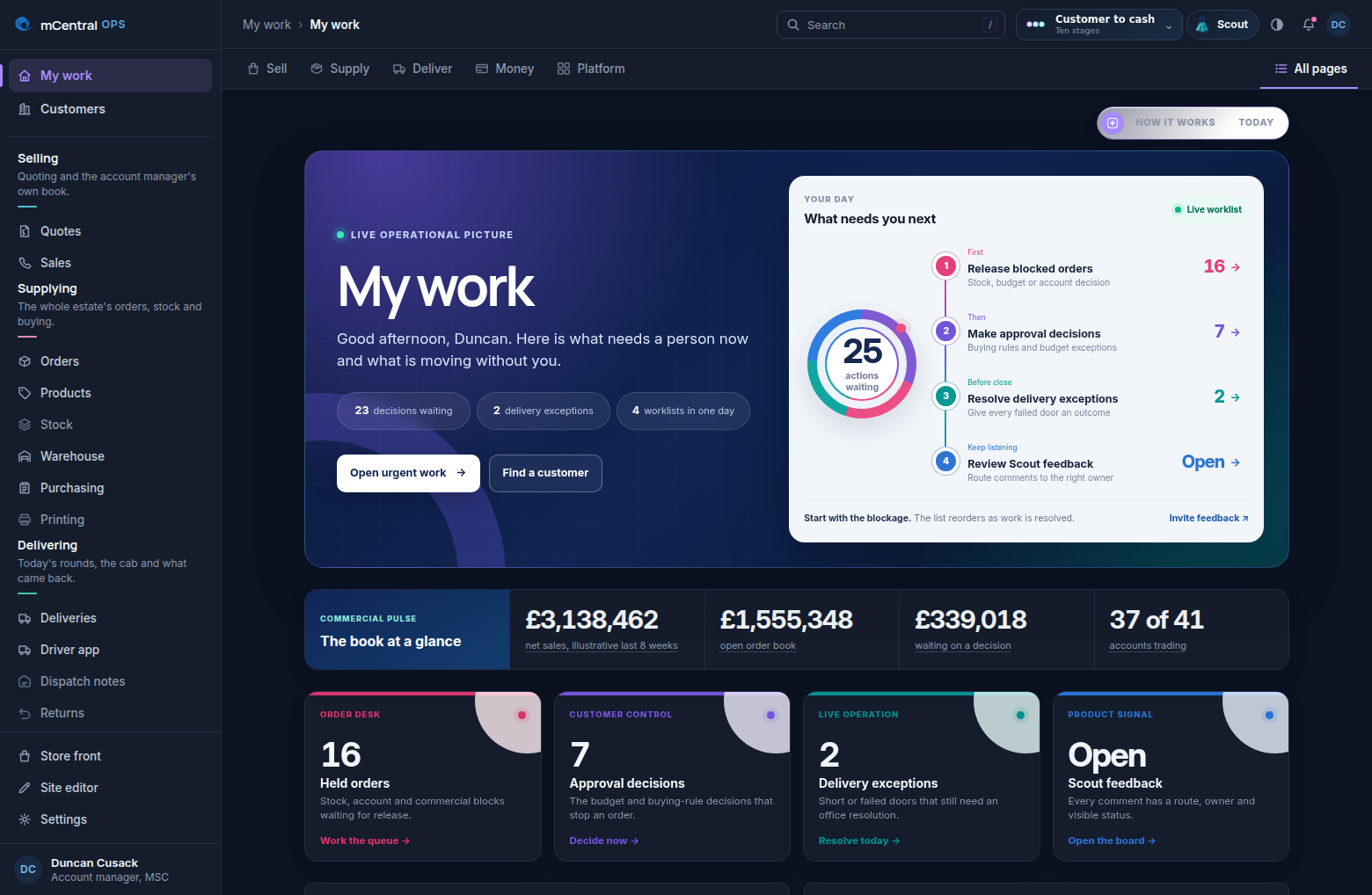
The work that needs you now, plus one continuous route through the operation.
Quote builder, market-price intelligence, margin before the price goes out.
The account manager's own book, and the calls it says to make today.
One order queue for every channel; every order keeps its source.
The book: companies, contracts, sites, teams and controls.
The full product record, fed by the mCentral PIM, which stays.
One stock ledger, multi-depot by design, never double-counted.
Goods in on a phone, directed put away, wave picking, verified loading.
Explainable forecasts and suggested purchases; buyers stay in charge.
The order timeline to the door; Maxoptra stays and talks both ways.
Returns and quarantine on the same record as the order.
Rebates, true net cost and price review, internal eyes only.
The two reports mCentral already publishes, and the reductions behind them.
Exception-led reporting over one record.
Roles, depots and configuration on the immutable history.
Proof, working, now
These are photographs of the built screens, taken this morning. Open any one of them and use it.

Rebuilt from your own production source, the same range, the same depots, the same trade account journey, with the Approved Buying List deciding what each site can select, held here as a customer record instead of pushed into someone else's metafields.
Open the shop front
Site Studio: drag sections, type straight onto the page, switch device, undo, publish. The same editor dresses the site as MSC, a dual-branded portal or a white-label client, your Phase 6, shown rather than promised.
Open Site Studio
Sign in on the handset, then today's drops in order: the agreed window, who is at the gate, and the outcome recorded at the door, delivered in full, short with the shortfall, or failed with a reason. Maxoptra still routes; OPS records what happened.
Open the roundStart here
Scout sits top right through the whole walk. Share what you think as you go and it lands on the feedback board.